Если создаете, публикуете или продаете контент для взрослых, важно уведомить об этом платформу и читателей, поставив отметку «18+» в профиле. Это нужно для соблюдения правил платформы и защиты пользователей от неожиданного или нежелательного контента.
- Образовательные материалы, например: курсы об отношениях и психологии, лекции о здоровом образе жизни или научные материалы о физиологии.
- Нейтральный контент, например: советы по саморазвитию, обсуждения семейных ценностей, психологические консультации.
- Откровенный, но не обнаженный контент. Например: фото или видео в нижнем белье, купальниках, облегающей одежде. Главное — не показывать интимные части тела (гениталии, женские соски).
- Эстетические и художественные образы, например, изображения в красивых, но не слишком откровенных позах. Важно, чтобы они не имитировали половой акт.
- Просветительский контент, например, лекции или материалы о сексуальном здоровье, отношениях, если в них есть описание практик, сценариев или используются откровенные примеры.
- Контент, который содержит нецензурную лексику.
- Фото и видео с полной или частичной наготой (гениталии, женские соски), в том числе с цензурой (размытие, стикеры, пикселизация).
- Порнографию и откровенные сексуальные сцены.
- Любой контент, который имитирует или изображает сексуальные действия, половой акт.
- Контент, в котором есть намёки на запрещённый, например: «NSFW», «nude version», «откровенное фото» и подобные слова.
Такой контент нарушает правила платформы и будет заблокирован.
Обязательно поставьте отметку «18+», если в вашем профиле на lava.top есть ссылки на сайты или соцсети с контентом для взрослых или нецензурной лексикой.
1. Откройте настройки профиля и перейдите в раздел «Профиль».
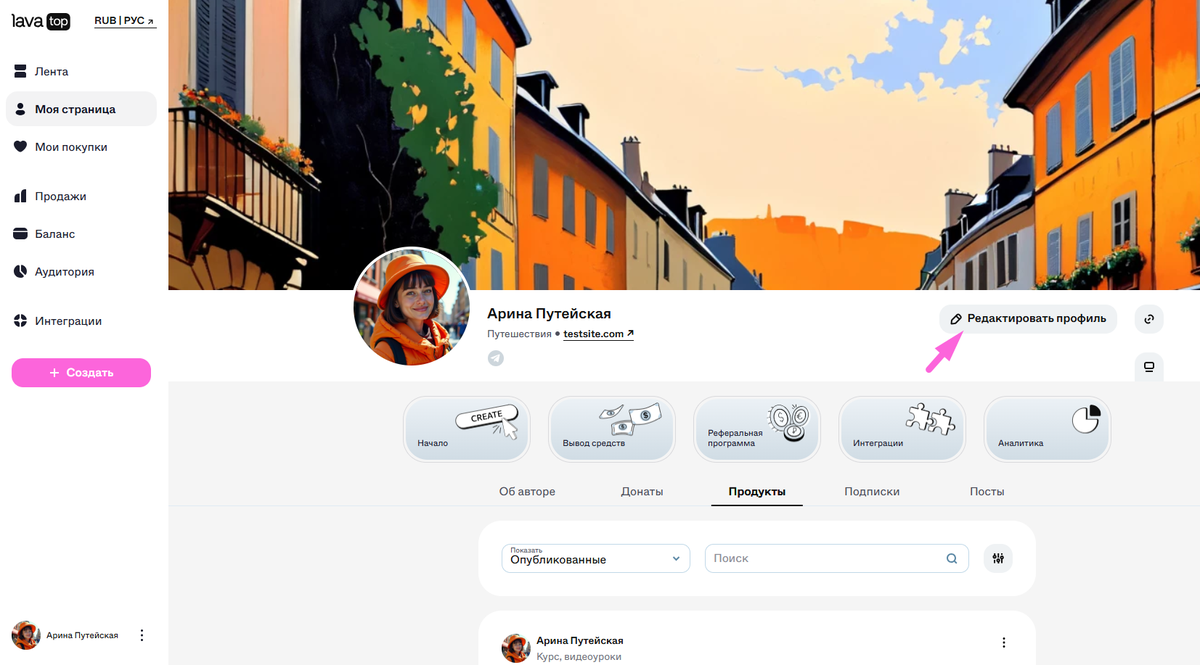
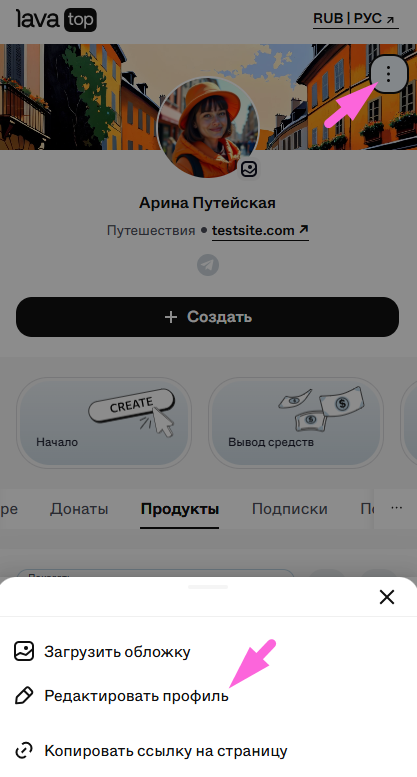
2. Переместите ползунок отметки вправо.
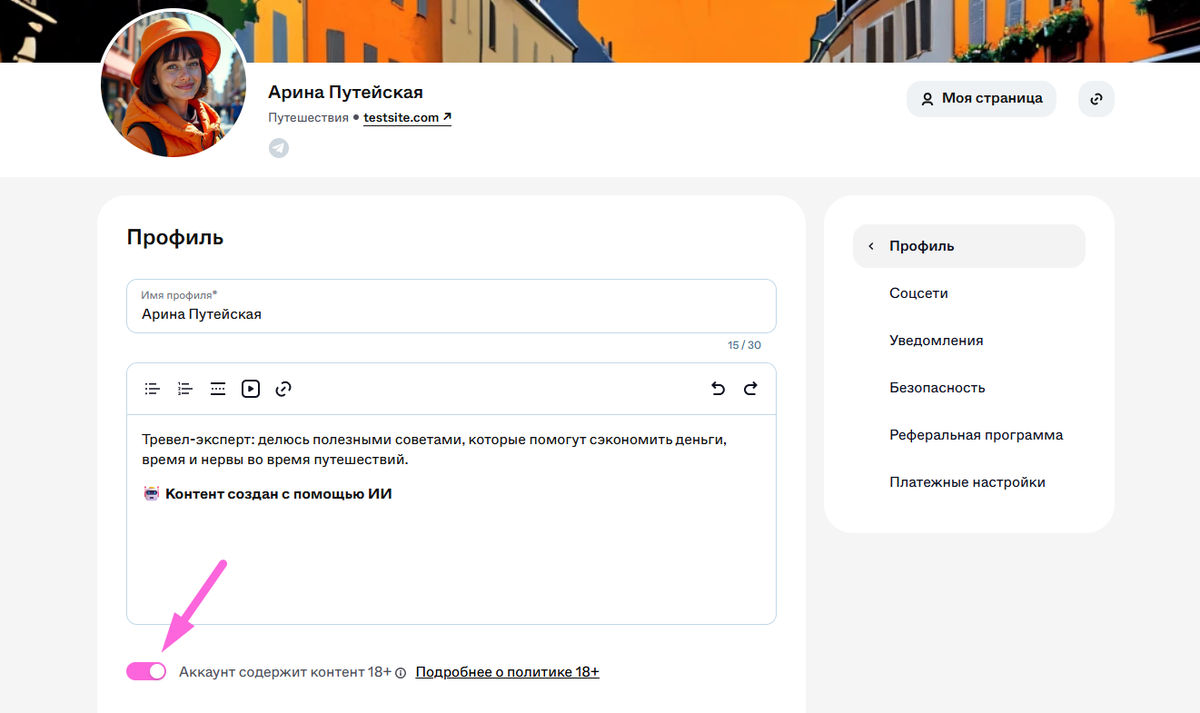
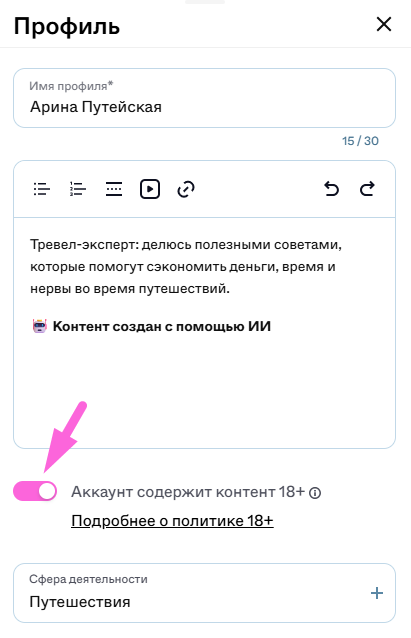
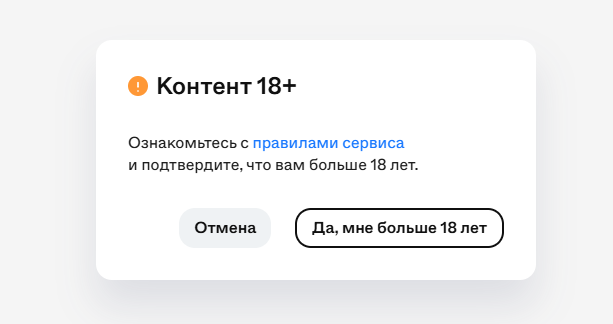
Готово! Теперь, когда пользователи перейдут по ссылке на профиль или продукт, они будут предупреждены о том, что в профиле содержится контент 18+.
Если в профиле больше нет контента для взрослых или отметка была установлена случайно, ее можно убрать. Для этого обратитесь в поддержку.